- Uygulamalar
- Premium
-
VPN Konumları
- Yardım
- Kayıt
- Giriş
Why a Site Blocked Your IP, and How to Get Back In
İçindekiler
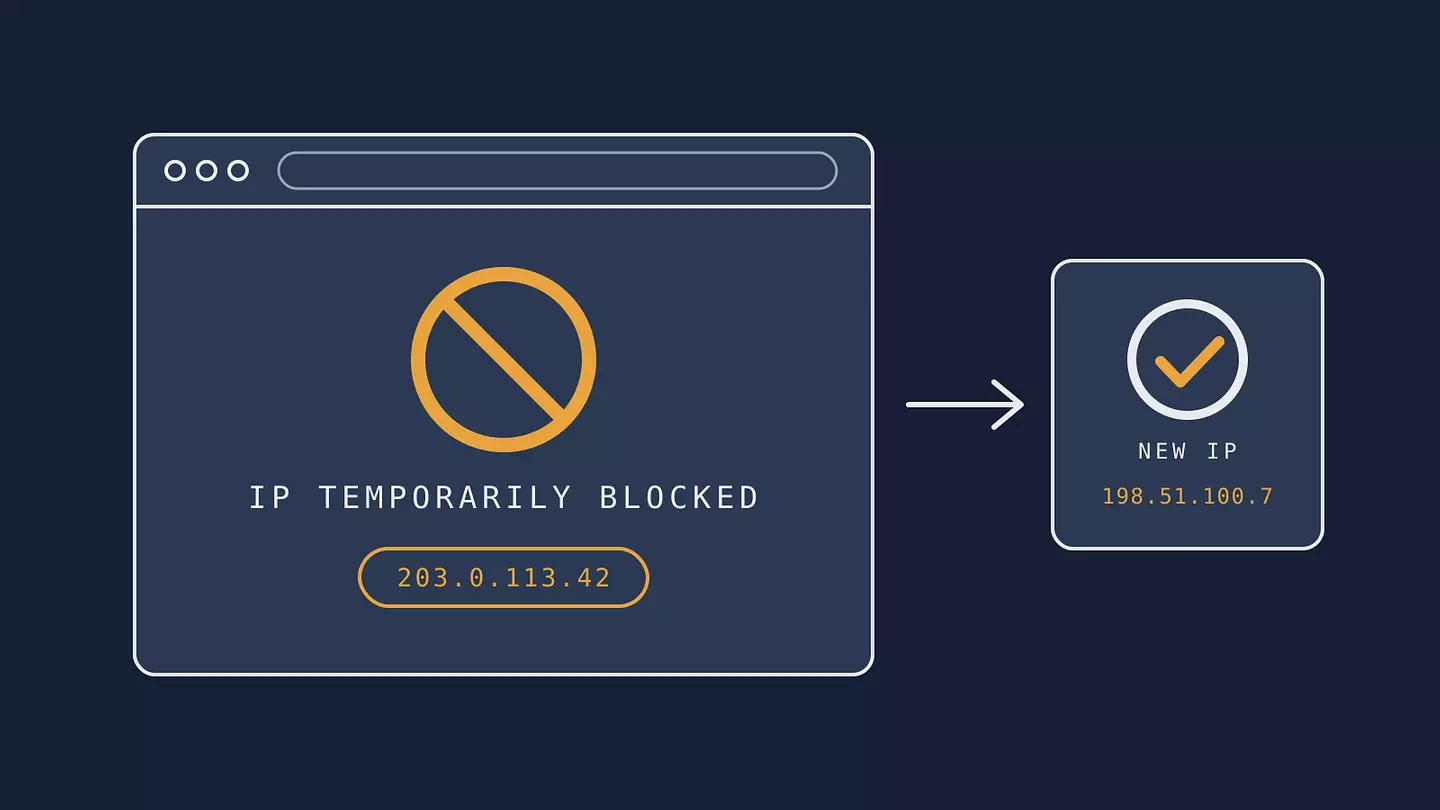
"Your IP has been temporarily blocked" means a website, app or game server noticed something unusual coming from your IP address and shut the door for a while.
Most of the time it's an automatic rate limit, not a human decision, and it lifts by itself within minutes to a day. You can often skip the wait by stopping whatever set it off or by switching to a different IP address.
What the error actually means
Every device online reaches sites through a public IP address, the number your internet provider (or your VPN) assigns to your connection. Sites can't see who you are, but they can count how many requests arrive from that number and what those requests look like. When the pattern crosses a line the site owner has set, the server stops answering that IP for a set time.
The wording varies. You might see "Your IP has been temporarily blocked", "Access denied", "Too many requests" or a page that just won't load. Under the hood it's usually one of two things:
HTTP 429 "Too Many Requests", the standard response for rate limiting. It can come with a Retry-After header that tells the browser how many seconds to wait.
Cloudflare error 1015, which shows up on the many sites that run behind Cloudflare. It means the site owner set a request limit and you went over it.
People run into this in all sorts of places: online stores during a sale, banking and email logins, forums, streaming apps, and game launchers such as Escape from Tarkov's, where the exact phrase "Your IP has been temporarily blocked" gets reported a lot.
Temporary is the important word. A temporary block expires on a timer. A permanent IP ban is a deliberate decision, usually after repeated abuse, and only the site can lift it.
Why your IP got blocked
The site's system doesn't know your intentions. It only sees traffic, so ordinary behavior can look like an attack if there's enough of it.
Too many requests or reloads in a short time
Hammering F5 while waiting for concert tickets, refreshing a product page every few seconds, or opening dozens of tabs from one site at once all look the same to a server: one address asking for a lot, fast. Rate limits exist to stop bots from overloading the site, and an impatient human can trip them too.
Repeated failed logins
Five or ten wrong passwords in a row is exactly what a password-guessing attack looks like. Many login pages block the IP for a while after a handful of failures, even if it was just you forgetting which password you used. Password managers that keep retrying an old saved password can cause this without you noticing.
Automated tools or scraping
Scripts, scrapers, download managers, price trackers and some browser extensions send requests much faster and more regularly than a person clicks. If you run anything like that, or a program on your device does it in the background, the site may flag your IP. Malware that uses your connection to send spam or join attacks can get your address blocked the same way.
A shared IP someone else got in trouble with
This is the cause people find most unfair. Your IP often isn't yours alone:
Public Wi-Fi in a café, hotel or airport sends everyone's traffic out through one public IP. If someone on that network was scraping or spamming, every guest gets blocked with them.
Mobile carriers, and some home internet providers, use carrier-grade NAT (CGNAT), which puts many customers behind one public address. We explain how that works in our guide to static and dynamic IPs.
Offices, universities and dorms often share one address for the whole building.
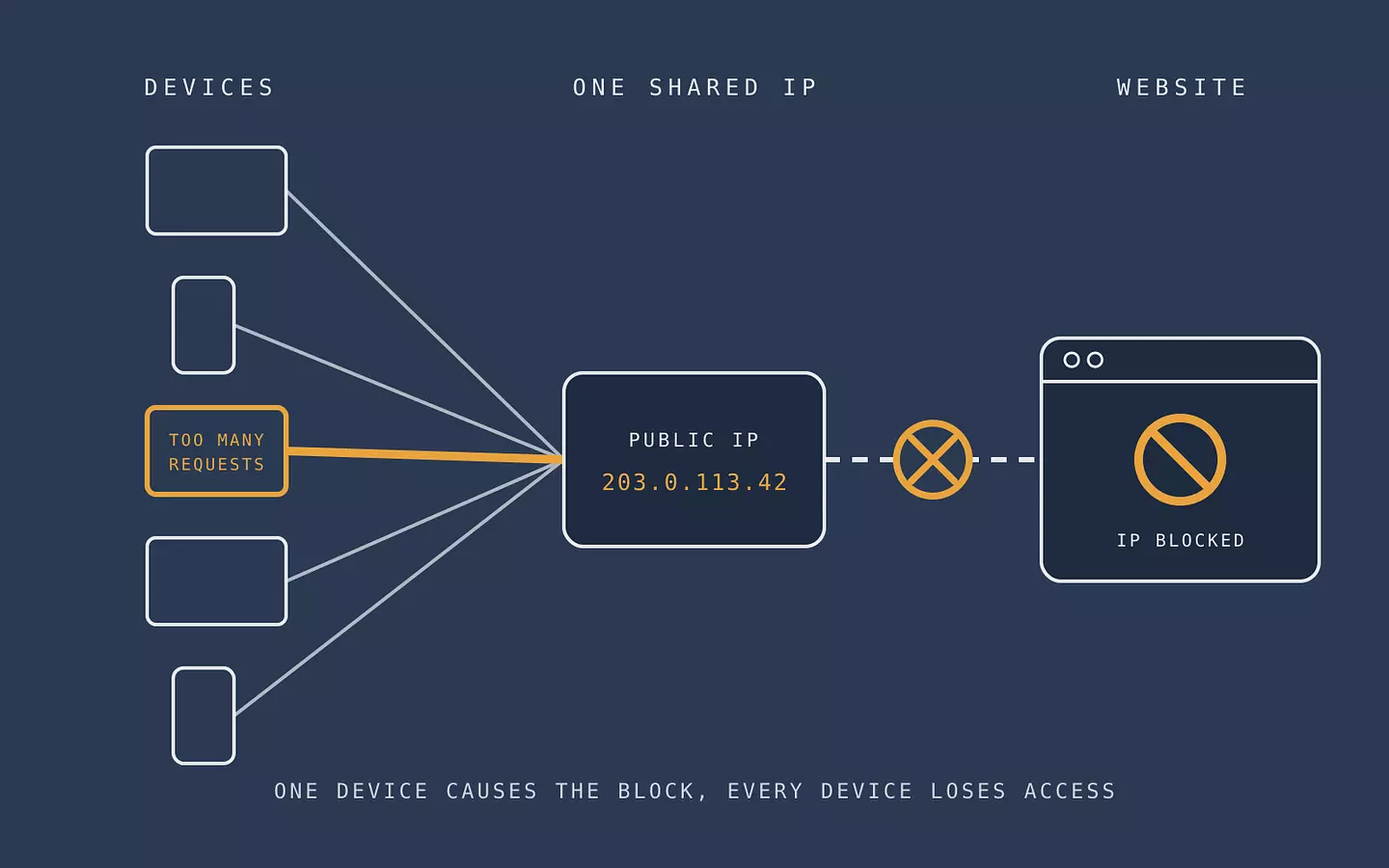
In these cases you did nothing wrong. The site simply can't tell you apart from the person who did.
How to fix "Your IP has been temporarily blocked"
Start at the top. The first two steps fix most cases, and the rest help when you can't or don't want to wait.
Wait it out
Temporary blocks expire by themselves. Short rate limits often clear in 5 to 30 minutes; login lockouts and stricter security rules can last a few hours or up to a day. Don't keep retrying while you wait. Cloudflare notes that repeated attempts during a rate limit can extend the block, so each refresh may reset the clock.
Stop whatever triggered it
If you were reloading, stop. If you were guessing passwords, use the "Forgot password" link instead of trying again. Pause any scripts, scrapers, auto-refresh extensions or download managers that talk to that site. If none of that applies and blocks keep happening on several sites, run a malware scan: something on your device may be sending traffic you don't know about.
Restart your router for a new IP
Most home connections have a dynamic IP, which the provider can reassign. Turning the router off and back on sometimes gets you a new one, and with it a clean slate. Leave it unplugged for a few minutes, not a few seconds. Many providers hand back the same address if the router reconnects quickly, so it may take a longer break, or several tries, for the address to change.
You can check whether it worked by comparing your address on our What is my IP page before and after the restart. If the number is the same, the router route won't help on this connection.
Switch to mobile data
Turn off Wi-Fi on your phone, or use it as a hotspot for your laptop, and try again. Your traffic now goes out through your carrier's IP instead of your home or café IP, so the block on the old address no longer applies to you. It's the fastest test of all: if the site loads on mobile data, the block was on your network's IP, not on your account.
Use a VPN to get a different IP address
A VPN sends your traffic through one of its servers, so the site sees the server's IP instead of yours. Connect, pick a location, reload, and you're arriving from an address the site hasn't flagged. This also works when you can't restart the router (at work, in a hotel) or when your provider gives you the same IP every time. We compare this with the other options in our guide on ways to change your IP address.
One thing to keep in mind: a VPN browser extension only changes the IP for that browser. If the block is in a game launcher, a desktop app or a mail client, you need a VPN app that covers the whole device.
And switching IPs only gets you past the block. If the behavior that caused it continues, the new address will get blocked too.
Which fix to try first
What happened before the error | Likely cause | Try first |
|---|---|---|
You kept refreshing a page | Rate limit | Wait 15 to 30 minutes without reloading |
You typed the wrong password several times | Login lockout | Reset the password, then wait |
You're on café, hotel or airport Wi-Fi | Shared IP | Switch to mobile data |
It happens on many sites at home | Flagged home IP or malware | Malware scan, then restart the router |
You're connected to a VPN | Shared VPN IP | Switch to another VPN location |
A game launcher shows it after an update or restart | Launcher or server rate limit | Wait, then restart the launcher once |
When the VPN is the reason you're blocked
Here's the part most guides skip: VPN IP addresses are shared too. A single VPN server carries traffic from many users at once, all leaving through the same address. If a few of them hit a site hard, or if the site treats VPN addresses with extra suspicion, everyone on that server can see "Your IP has been temporarily blocked" even though they personally did nothing.
So if you get the error while connected to Browsec, the fix is usually quick:
Switch to a different Browsec location. A new location means a new server and a new IP address that this site hasn't flagged.
If it still happens, turn the VPN off for a moment and reload. If the site works on your own IP, the block was on the VPN address, and another location later will likely work.
If the site blocks every location you try, it may be refusing VPN traffic in general. Some banks and streaming services do this on purpose, and no IP change will get around a rule like that.
If you're still blocked after a day
A block that lasts longer than 24 hours, or that follows you across networks, is probably not a simple rate limit. A few things to try:
Contact the site's support. Give them your IP address and the time you saw the error, and ask whether your address or account is on a block list. Only they can lift a block they set by hand.
If the block follows you to mobile data and a VPN, it's tied to your account rather than your IP. Support is the only way back.
If several unrelated sites block your home IP for days, ask your internet provider whether your address has been flagged for spam or abuse. They can sometimes give you a new one.
Worried that a blocked IP means someone has your details? An IP address reveals less than most people fear. We cover what it can and can't expose in what someone can do with your IP.
Browsec şu platformlarla uyumludur:
FAQ
How long does a temporary IP block last?
It depends on the site. Rate limits often clear in minutes, login lockouts and security blocks can last several hours, and a few sites keep them for up to 24 hours. Retrying during the block can make it longer.
Will clearing cookies or switching browsers fix it?
Usually not. An IP block applies to your address, not your browser, so a new browser or incognito window arrives from the same IP. Clearing cookies helps only if the site also flagged a session cookie, which happens less often.
Can using a VPN get my IP blocked?
It can. VPN servers share one IP among many users, so another user's behavior or a site's stance on VPNs can lead to a block. Switching to another location usually solves it.
Is a temporary IP block the same as an IP ban?
No. A temporary block lifts automatically after a set time. A ban is permanent until the site's team removes it, and it usually follows repeated rule-breaking.
Bu makaleye atıf yapın
Browsec. "Why a Site Blocked Your IP, and How to Get Back In." Browsec Blog, 26 Kasım 2026 Perşembe, https://browsec.com/tr/blog/ip-temporarily-blocked.